
A closer look at
Orvile Mail.
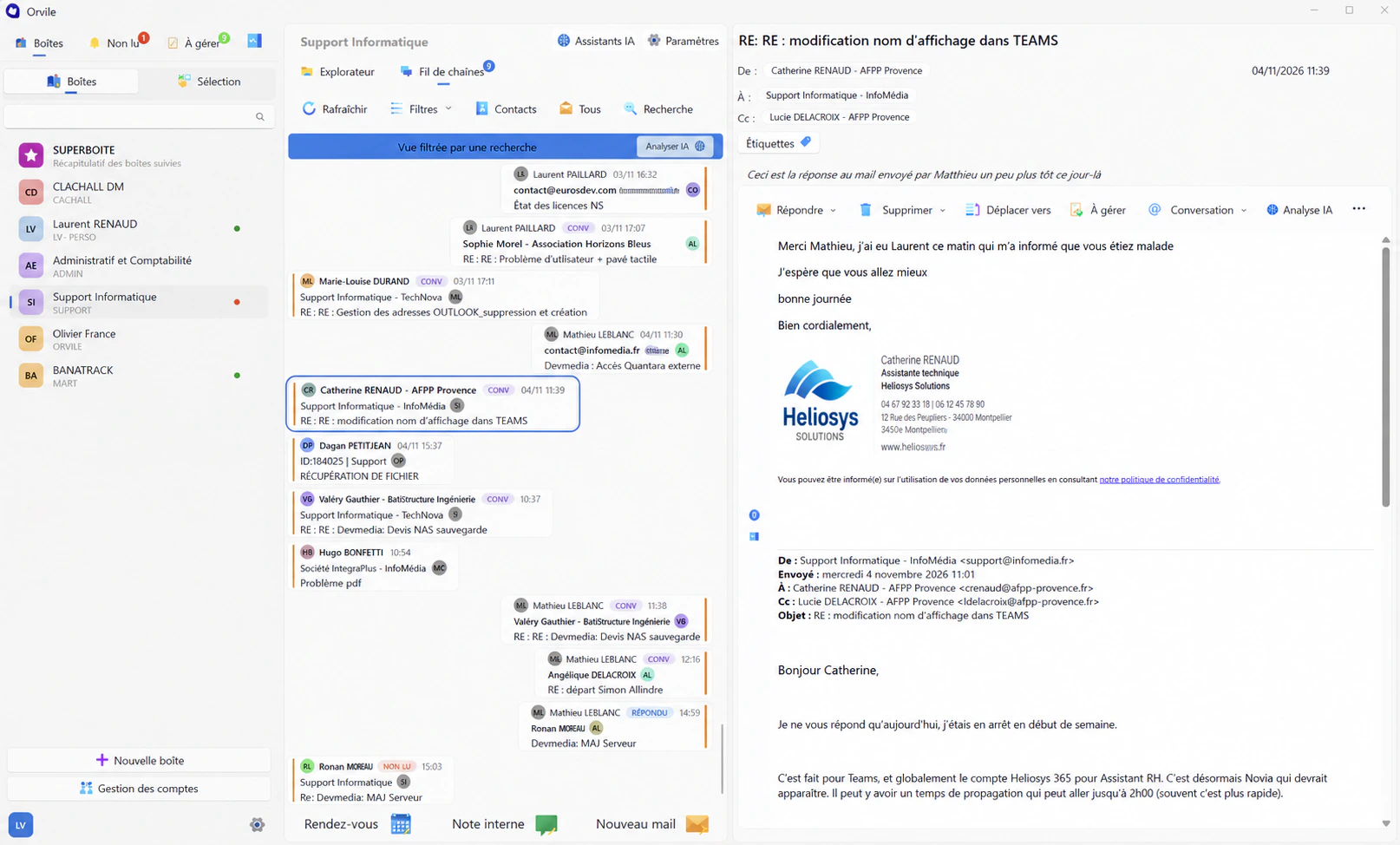
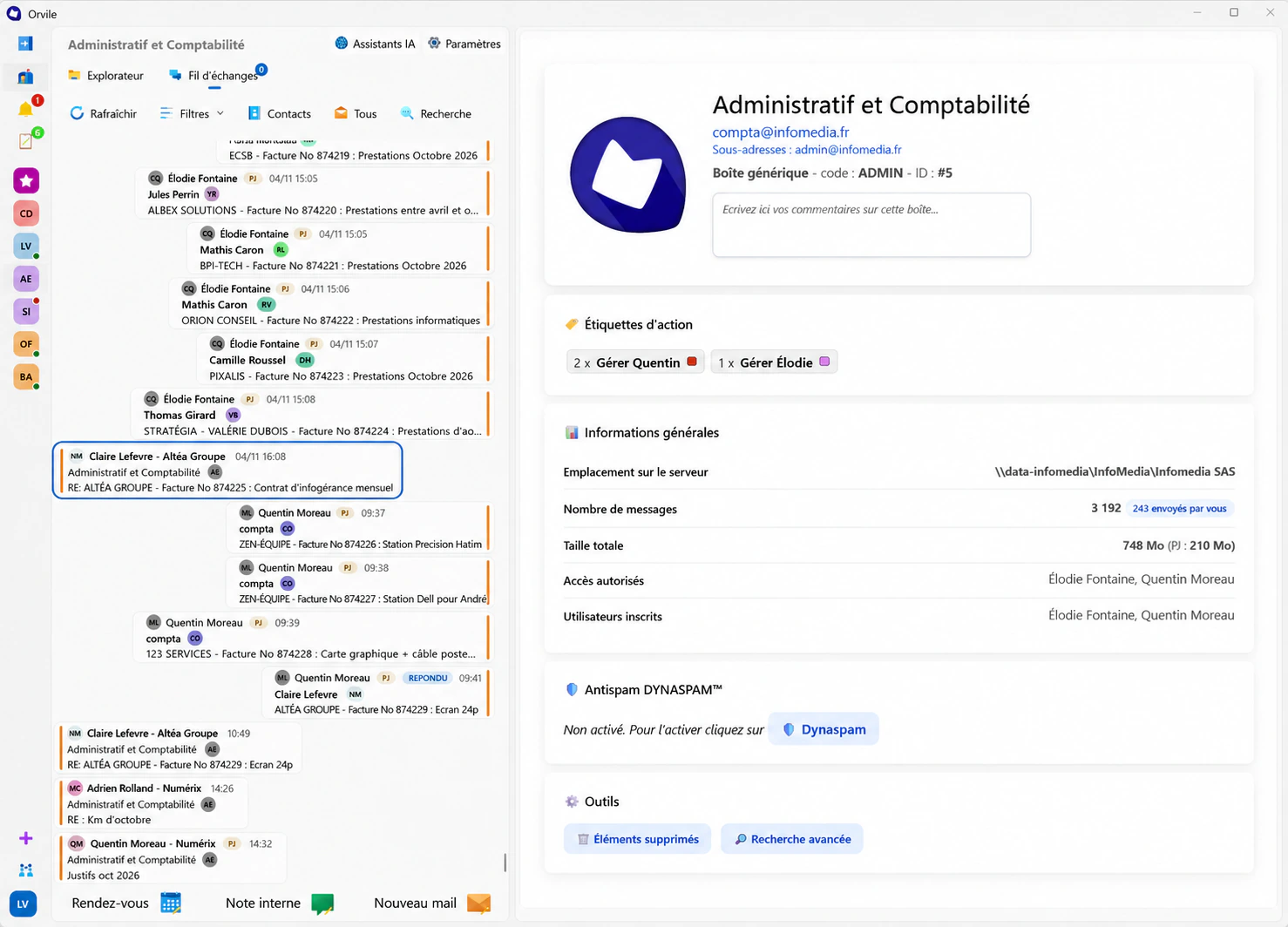
Your mailboxes on the left, the conversation in the middle and the open message on the right. Read and reply as usual. Orvile takes care of filing emails in your client and project folders.

The conversations stay. The project moves on.
An agreement, a clarification, a reply that changes what happens next: incoming and outgoing messages appear in the same thread. A colleague taking over can find what was said, according to their access rights.
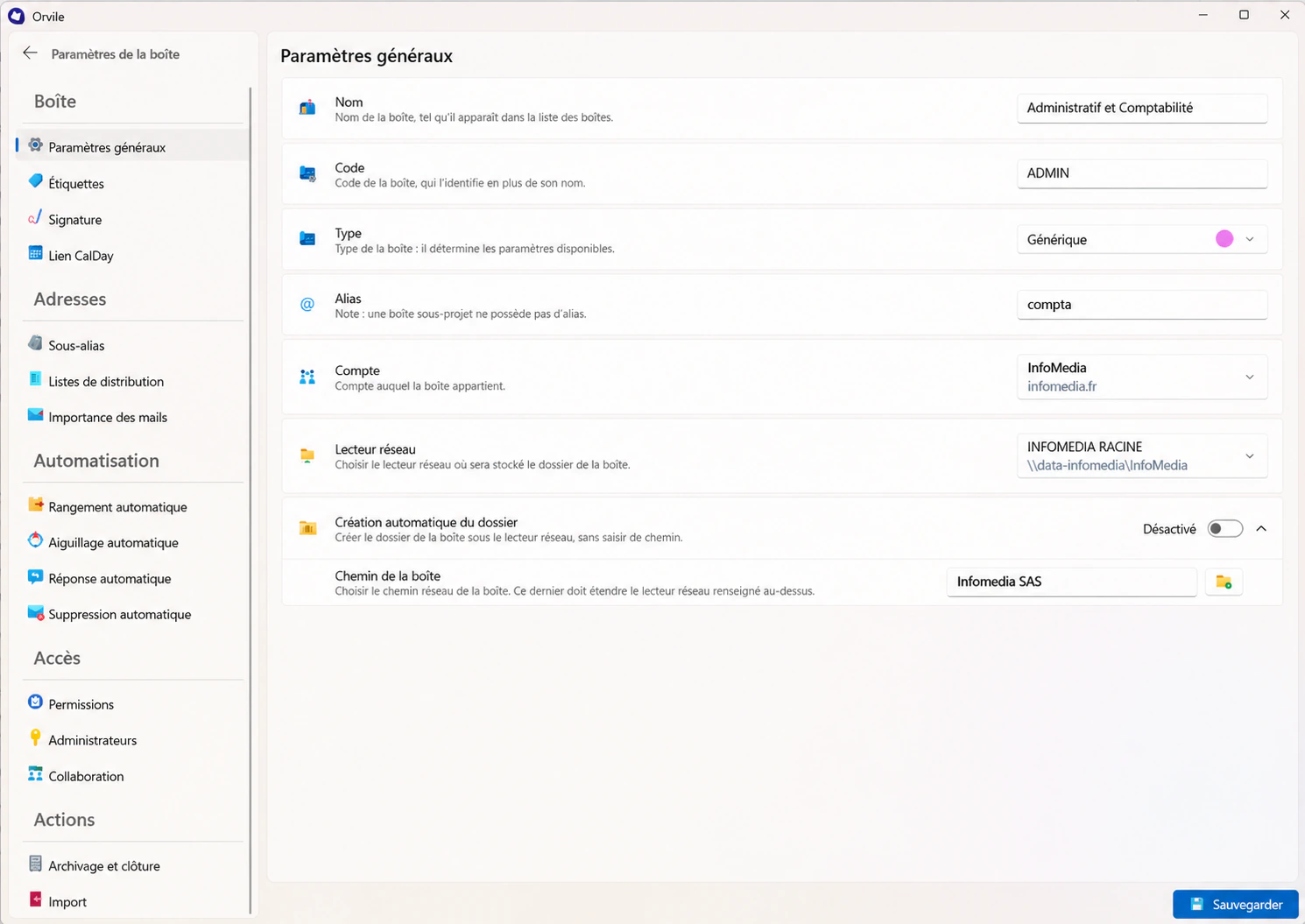
The email behind
the document.
A quotation does not tell the whole story of an agreement. A drawing does not explain why it changed. By bringing email and files together in the company’s project folder, Orvile also makes the clarifications, concerns and approvals behind the work available to consult.
Conversations
The client’s email, a technical clarification, an approval.
Documents
Quotations, studies and supporting documents.
The company’s project record
Documents and the conversations that explain them, with the appropriate permissions.
Your file server retains the emails.
Long-term retention uses the company’s file server. Messages transit through messaging infrastructure. AI processing uses Orvile servers: its scope, access rights and backups are defined during deployment.
Understand how your data is managedRead, reply, follow up.
Your everyday tools.
Check several mailboxes, prepare a reply or open a document: folder-based filing works alongside the email tools you need every day.
Bring together and find
- Superbox
- A view that brings multiple mailboxes together.
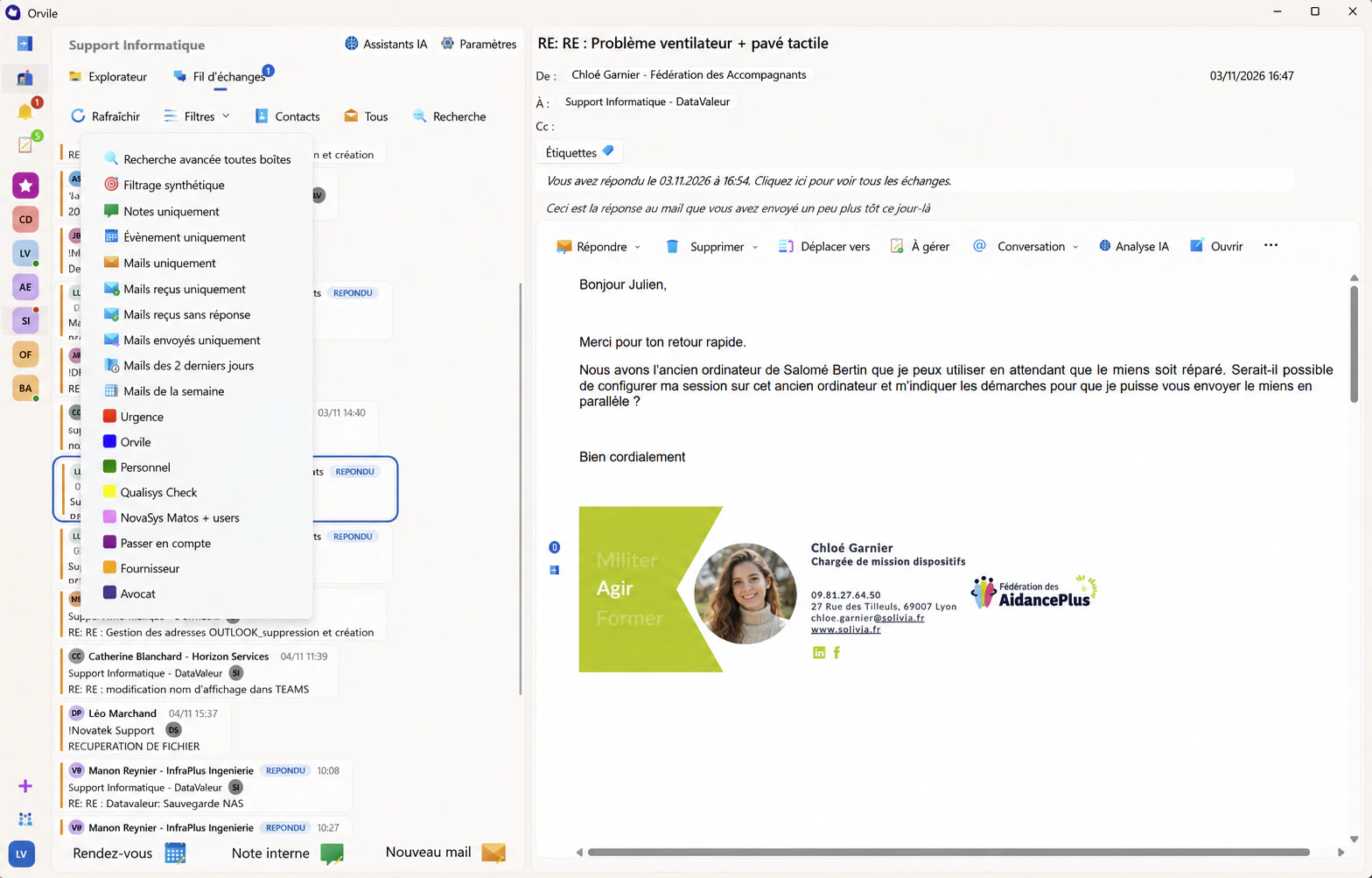
- Search across mailboxes
- Search across your different mailboxes.
- By contact or company
- Isolate conversations with a contact or an external company.
- Folder-based filing
- Conversations are automatically filed in client and project folders.
Handle and follow up
- Labels and to-do lists
- Identify messages and topics that need action.
- Organised drafts
- Find the replies you are working on.
- Annotations and internal notes
- Annotate an email or keep information for the team.
- Unread messages together
- Bring together the messages you have not read yet.
Work with documents
- Preview more than 100 formats
- The previewer lets you view a wide range of file types.
- Additional files
- Add files to an email to complete its context.
- AI analysis of an email
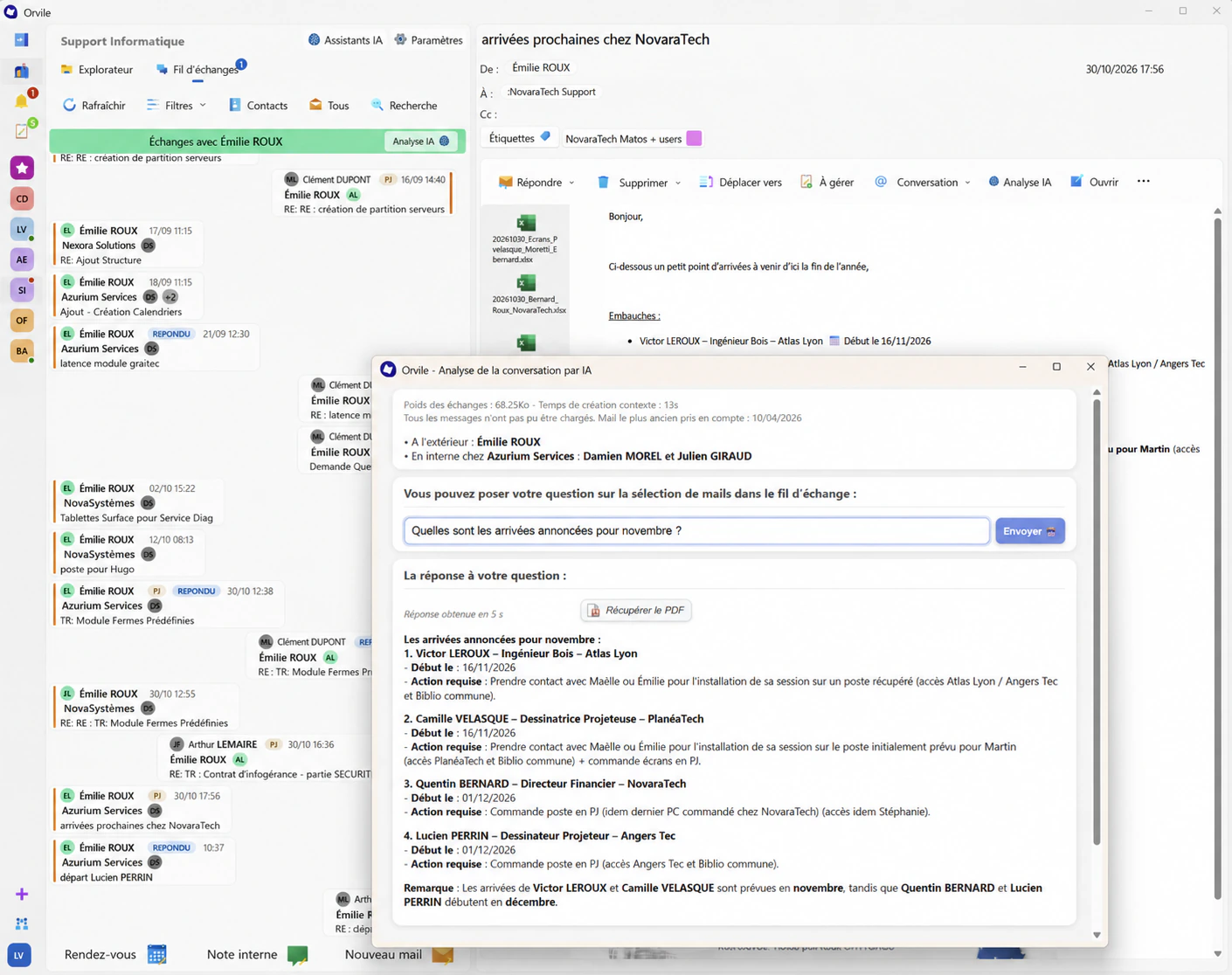
- With Mail Plus, ask a question about the message and check the answer against the original text.
Make email work for you
- Dynamic spam filter
- Built-in filtering to manage unwanted messages.
- Unified automatic signatures
- Consistent signatures across the team’s conversations.
- Light and dark modes
- An interface that follows the Windows theme.
- Compact and comfortable views
- Choose how densely the conversation thread is displayed.
- Adjustable columns
- Resize the columns and collapse or pin the left panel.
Features shown on Windows. Availability by plan and device is discussed during the demonstration.
Request a demonstrationPut the question
to your emails.
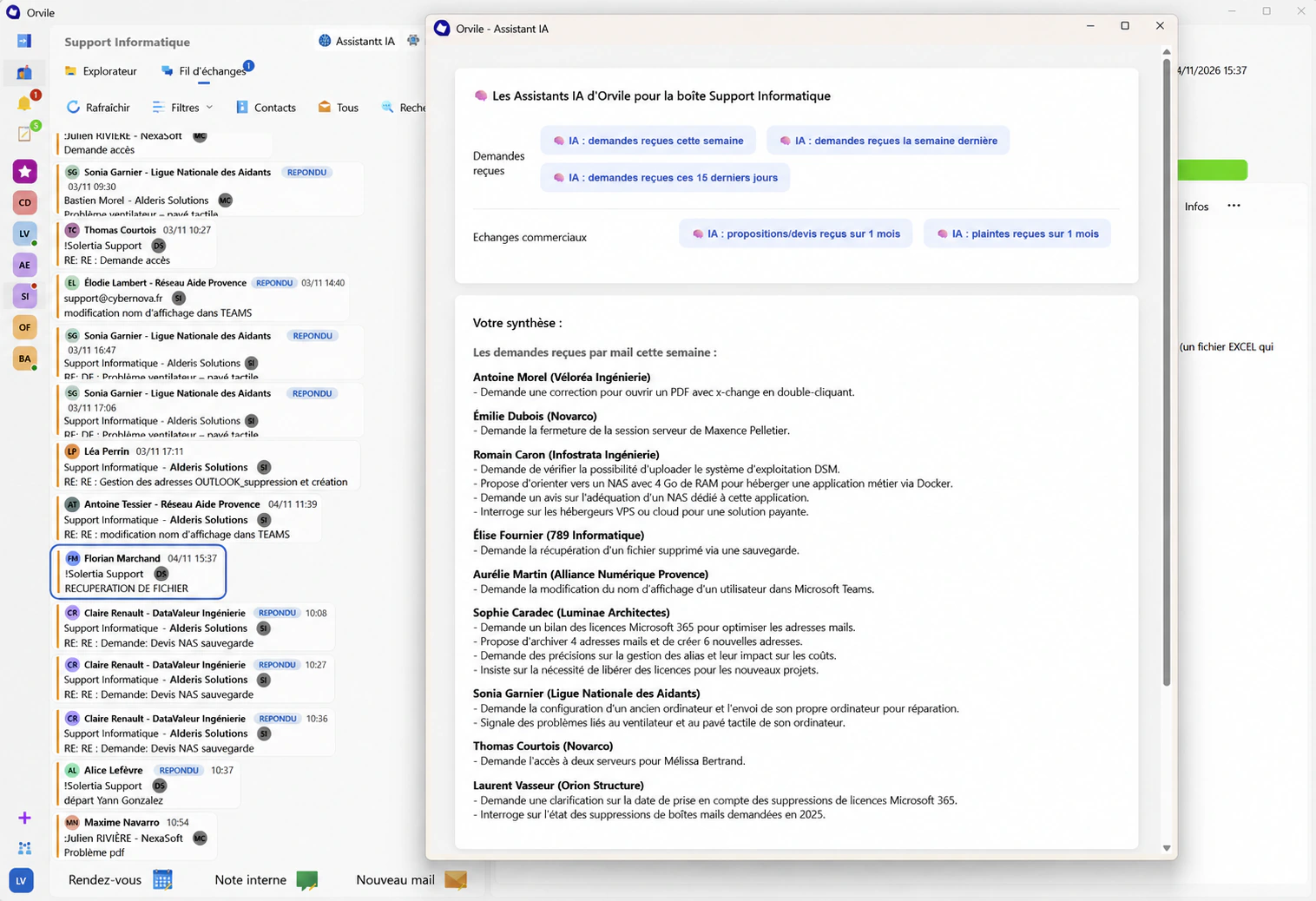
From a message or conversation, ask AI for a summary or a specific detail. You can also rephrase a reply before sending it. These tools are available in Mail Plus.
Explore integrated AIAt your desk
or on the move
Use the Orvile app on Windows or Android. On a Mac, iPhone or iPad, open Orvile in your browser. Our team can show you which features are available on the devices you use.
Plan your email transition
Will Orvile work
with your setup?
Your current email system, shared folders and devices: plan the move to Orvile Mail with our team.